
Introducing Link Titles in CutMe Short - Easily Identify Your Shortened Links
Quick answer
Organise and identify your short links effortlessly with CutMe Short's new Link Title feature — assign meaningful names to every link you create.

Introducing Link Titles in CutMe Short
At CutMe Short, we continuously strive to improve the link management experience for our users. We understand that when you're managing multiple short links, it can be challenging to keep track of which link leads where. To solve this, we're excited to introduce the Link Title feature — a simple yet powerful way to label and identify your short links quickly.
What Is the Link Title Feature?
The Link Title feature allows you to assign a meaningful name or identifier to your shortened links, making it easier to organise and recall them later. Instead of dealing with a long list of anonymous short links, you can now categorise and manage them efficiently with custom titles.
How to Use the Link Title Feature
Using the Link Title feature in CutMe Short is quick and straightforward. Follow these steps:
- Create a new link — Go to your CutMe Short dashboard and click on the option to create a new short link.
- Paste your long URL — Enter the original URL you want to shorten.
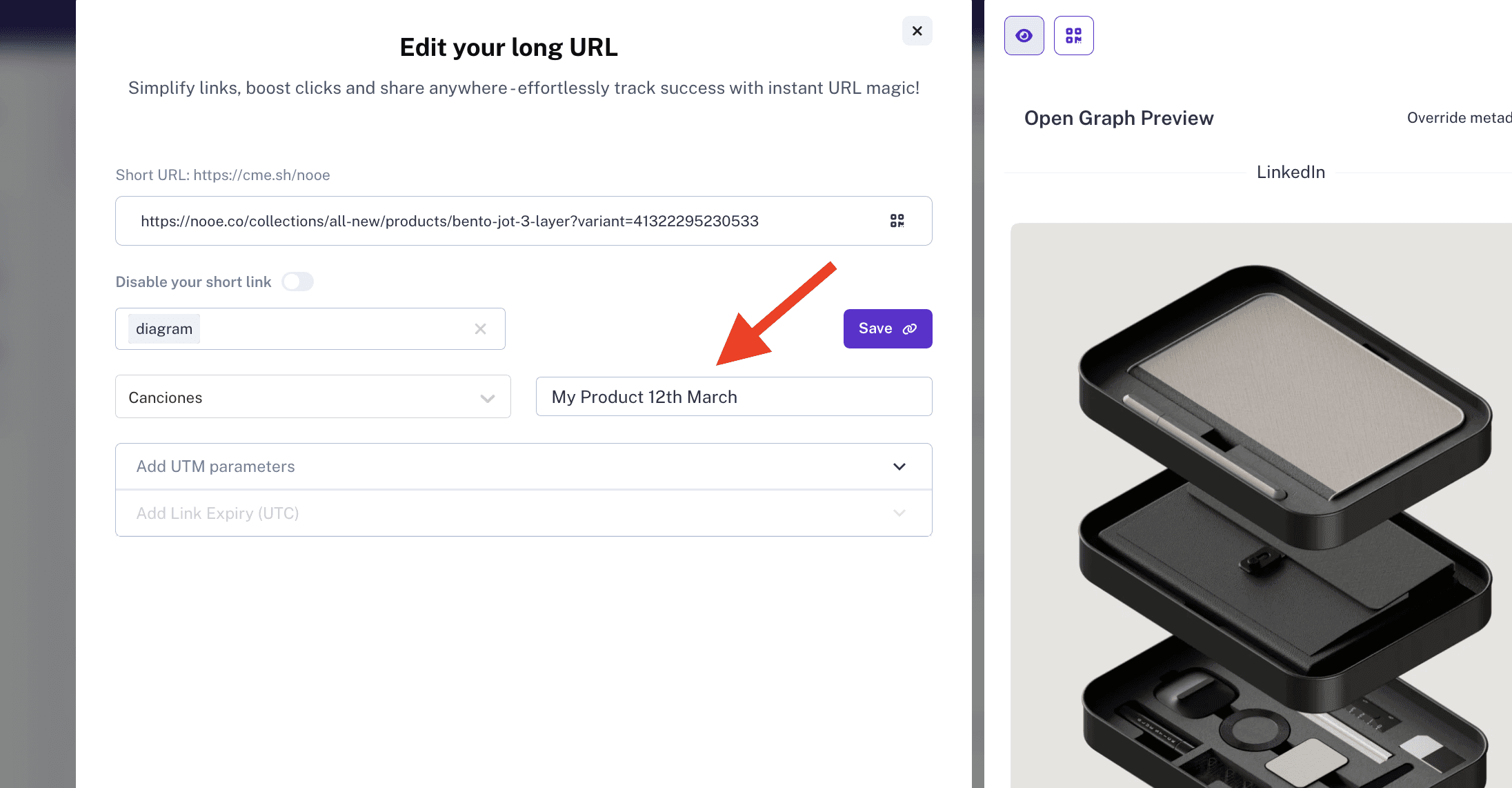
- Automatic Link Title Generation — Once you paste the URL, a default link title will automatically appear in the title field.
- Customise the Title — You can keep the automatically generated title or update it with a more meaningful name that helps you identify the link later.
- Save and Shorten — Once you've assigned the title, click the shorten button, and your link will be created with the custom title visible in your dashboard.
Why Use Link Titles? (Use Cases)
Here are some practical ways this feature can benefit you:
1. Marketing Campaigns & Promotions
If you're running multiple marketing campaigns, you can name your links based on the campaign, such as "Spring Sale 2024 - Instagram" or "Product Launch - Email Marketing". This makes it easy to track campaign performance at a glance.
2. Business & Client Management
If you handle multiple clients or projects, you can assign link titles based on the client's name or the project, making link management effortless. For example, "ClientXYZ - Facebook Ad" or "CompanyABC - Website Homepage".
3. Content Creators & Influencers
Content creators can categorise links based on the platforms they share them on, such as "YouTube Video - Affiliate Link" or "Instagram Bio - Merch Store".
4. Internal Team Collaboration
For teams that frequently share internal links, adding clear titles like "Quarterly Report - Internal" or "Employee Onboarding Guide" ensures seamless access and avoids confusion.
5. Personal Use & Bookmarking
If you shorten links for personal use, you can name them based on their purpose, such as "Recipe - Best Pancakes" or "Gym Routine - Workout Plan".
The Impact of Link Titles
The Link Title feature may seem like a small addition, but it significantly enhances your workflow by making it easier to:
- Stay organised — No more guessing which short link corresponds to which content.
- Improve accessibility — Quickly find and use the links you need.
- Enhance collaboration — Helps teams manage shared links effectively.
Where to Find the Link Title Feature
You can access the Link Title feature directly executable within the link creation panel on the CutMe Short homepage. This feature is available to all users and requires no additional setup.
Try It Now!
The Link Title feature is live on CutMe Short, and we encourage you to try it out today. Start naming your links and experience better link management like never before.
Have feedback or suggestions? Let us know! We're always looking for ways to make CutMe Short even better for you.